- The Grandson Techie
- Posts
- Issue: 044
Issue: 044
“Helping Family With Tech (Without Making It Weird)”

Grandson Techie
March 11, 2026
Tech Tips, Tricks & Cybersecurity Advice – No Jargon, Just Help
Hey Techie,
Helping older family members with tech isn’t about fixing devices.
It’s about removing friction from their daily life.
This issue focuses on quiet upgrades that make a big difference.
🔎 The “Bigger Text Everywhere” Setup (Beyond Just Font Size)
Most people only increase text size — but that’s not enough.
Do this instead:
On iPhone:
Settings → Accessibility → Display & Text Size
Turn on:
Bold Text
Button Shapes
On/Off Labels
On Android:
Settings → Accessibility → Visibility Enhancements
Turn on:
High contrast text
Remove animations
Magnification shortcut
This makes buttons more obvious and reduces visual confusion.
Clarity reduces frustration immediately.
🖼️ Turn the Home Screen Into a “Daily Use” Screen
Older family members don’t need 40 apps visible.
Do this:
Move rarely used apps off the first screen
Keep only 6–8 core apps visible:
Phone
Messages
Photos
Camera
Browser
Email
Maps
Weather
Less clutter = faster confidence.
You’re not dumbing it down.
You’re simplifying it.
🔔 Adjust Notification Overload
Constant notifications create stress.
Go into Settings → Notifications and:
Turn off marketing notifications from shopping apps
Disable “badge count” on non-essential apps
Keep alerts only for real communication
Most older users feel overwhelmed — not incapable.
Reducing noise helps them feel in control again.
📸 Set Camera to Open Fast
If they miss moments because they fumble with unlocking:
Show them:
iPhone: Swipe left from Lock Screen to open camera
Android: Double-press power button
It sounds small.
But teaching that one shortcut turns frustration into confidence instantly.
🧠 Reframe How You Teach
Don’t say:
“You should know this.”
Say:
“Phones update so often, it’s impossible to keep up.”
Normalize confusion.
That changes everything.
This Week’s Move
Pick one:
Simplify a home screen
Adjust accessibility settings
Reduce notification clutter
Small refinements > big lectures.
Helping family with tech isn’t about control.
It’s about comfort.
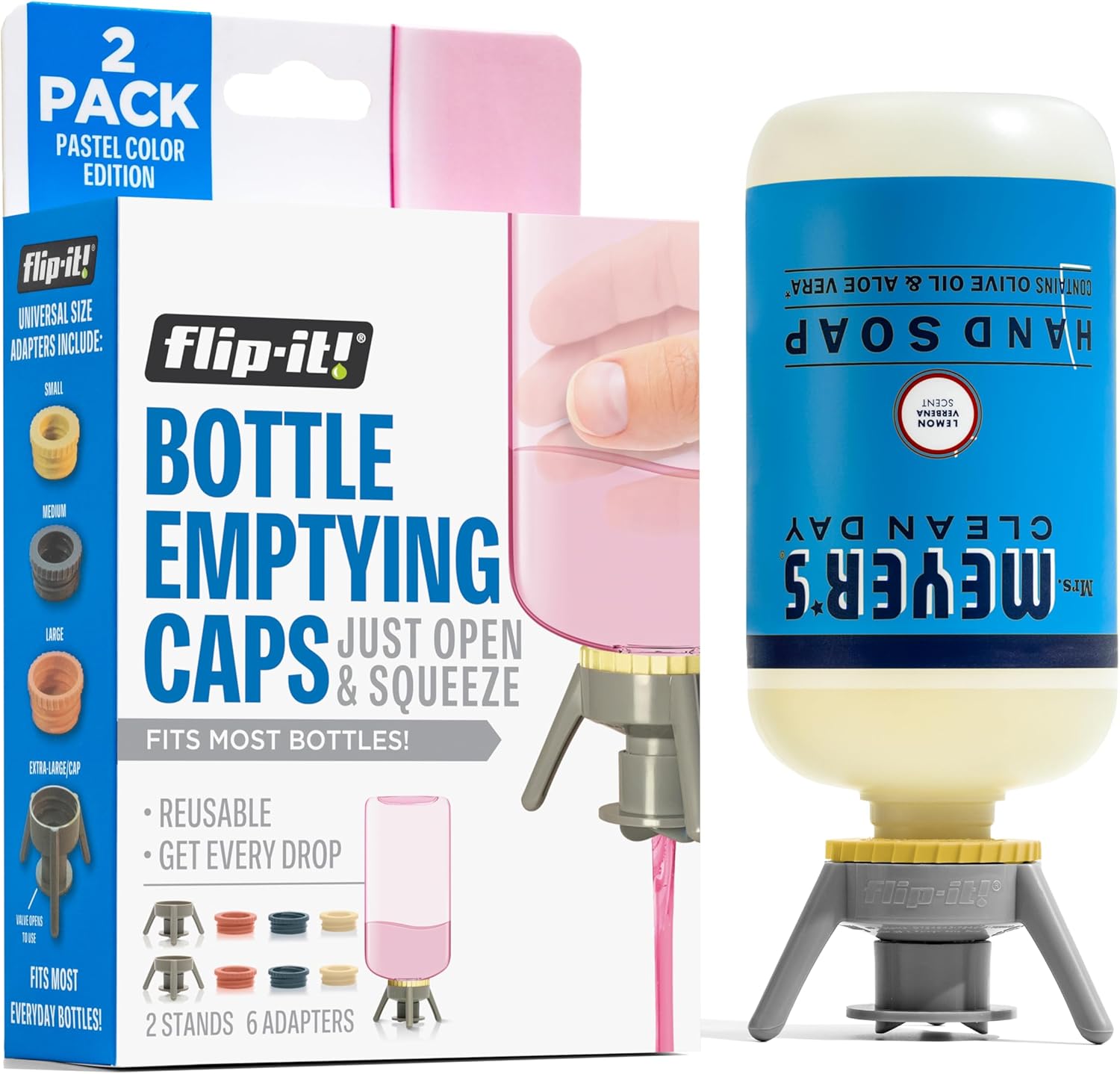
You paid for the whole bottle. Why are you only using 92% of it?
The Flip-It! Premium Bottle Emptying Kit flips your shampoos, lotions, conditioners, and mystery bathroom potions upside down so gravity can finally do its job. No more aggressive shaking. No more storing bottles at weird angles. No more “there’s definitely more in there” frustration. Just twist on the base cap, let it stand inverted, and get every last drop like the financially responsible adult you are.
It fits most plastic bottles and comes with adapters, so your bathroom can officially retire the “add water and hope” strategy.
Buy it on Amazon: https://amzn.to/4r6Mk5U
Stay safe and savvy,
—Your Grandson Techie
Reply